
Essential Apps for the Amazon Kindle Fire and How to Install Them | Good E-Reader - eBooks, Publishing and Comic News
Nov
22

Essential Apps for the Amazon Kindle Fire and How to Install Them

By

kindle fire

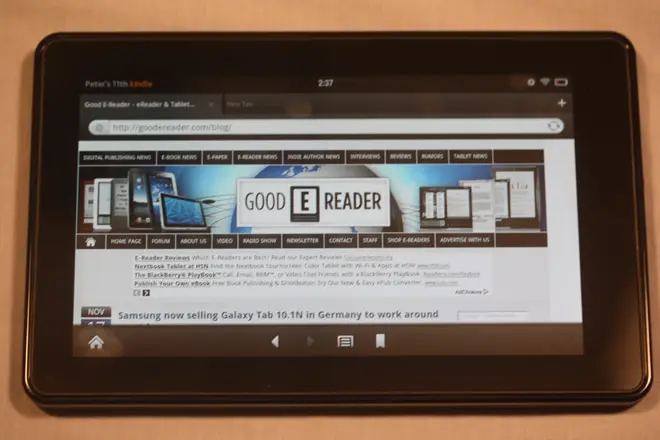
The Amazon Kindle Fire is proving to be a critical success for the company and they should be shipping 5 million units by the end of the year. The Amazon App Store is populated with a ton of Android programs for your device, but it does not have everything you might want. If you live outside of the USA and are not using an American address and credit card on your Amazon account, the company limits your app downloads. This new way of installing apps if perfect to still get the programs and games you want.

The first thing you want to do is make sure your Kindle Fire is going to physically allow you to install applications from other sources. Go to more, settings, device. Make sure “allow install from unknown sources” is on. When you do this you can now download apps from the internet and install them right to your unit.

Tutorial

Simple click on this link on your Amazon Kindle Fire  http://goodereader.com/blog/electronic-readers/essential-apps-for-the-amazon-kindle-fire-and-how-to-install-them/ and click on any of the links, at which point they will manually install the files to  your device. Once the download is done you will see a notification flag. Click on this and you can install the application, and when it is finished you will see it on your APPS shelf.

Independent e-Reading Apps

Mainstream E-Reading Applications

Comic Book Reader Apps

Alternative Android Markets

Essential Installs

Michael Kozlowski (2934 Posts)

Michael Kozlowski is the Editor in Chief of Good e-Reader. He has been writing about electronic readers and technology for the last four years. His articles have been picked up by major and local news sources and websites such as the Huffington Post, CNET and more. Michael frequently travels to international events such as IFA, Computex, CES, Book Expo and a myriad of others. If you have any questions about any of his articles, please send an email to michael@goodereader.com


  • Harvey

    what do you mean by load up this page??

  • http://goodereader.com/blog/ Good E-Reader
  • Jake188

    I get 404 page not pound when I Choose the main one I want “Mantano Reader”

  • http://goodereader.com/blog/ Good E-Reader

    We fixed it, thanks for pointing out the error

  • http://customresearchpaper.net/ custom research paper

    Thanks!!!

  • Kcobb Uofa

    When I download gmail, it installs, but then the app won’t open. Anyone else having this problem?

  • Bill

    Thanks for the great resource all in one place.  I have tried sideloading all the “independent” readers on my Kindle Fire.  Aldiko works great, but Cool Reader, Moon Reader, FB Reader and Mantano all have the same problem.  The application runs and loads just fine, but when you touch the menu button, the menu comes up and the app freezes.  Oddly, I can go back to the home page, rerun the app and when I do the menu works fine  – as long as I don’t close the menu and re-open it.  
    Really a shame too, I really like the looks of the Mantano reader!

  • http://www.facebook.com/sergio.a.l.jardim Sérgio A. L. Jardim

    Just to help: the Android PDF Reader is broken.Thanks for the list!

  • Peter B.

    I live in Mexico and just bought a Kindle Fire. I plan to use it principally to store and read scientific pdf’s. I thought that I was SOL until I found this web site. I don’t own an android phone. If anyone has any suggestions as to which apps I should use, I would be appreciative. Thank you very much. pbm

  • Anna

    The App Brain link returns Page Not Found.

  • Corrine

    Thank you so much for this. I have so many books on my nook and sony and I have been looking for a way to get them on my fire. You are amazing!

  • thehealthyeatingsite

    AppBrain and Android PDF Reader links are giving 404 errors.

  • thehealthyeatingsite

    Android Pit, AndAppStore, and Amazon App Store links don’t work either.

  • http://goodereader.com/blog/ Good E-Reader

    You can visit our new app store to get direct links http://apps.goodereader.com