



Barnes and Noble has commercially released its first large screen tablet, which is a bit of a departure from the standard seven inch device. Its form and function are quite different than the prior iterations and should give people looking at the Kindle Fire HD 8.9 and iPad another player to consider.
Hardware
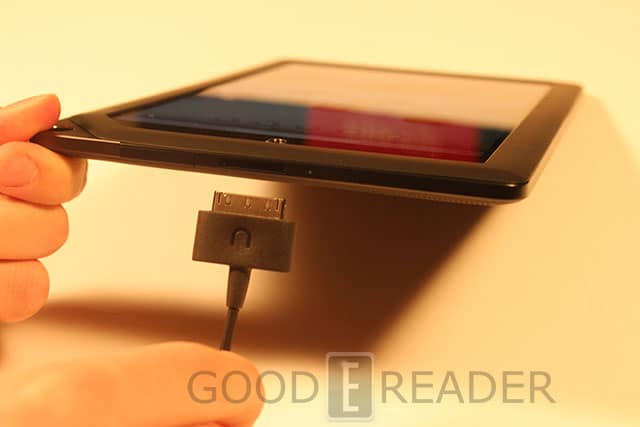
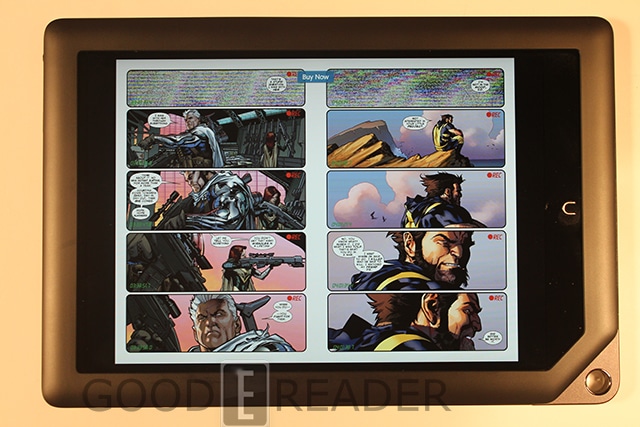
The Banes and Noble Nook Tablet HD+ features a 9.5 inch capacitive touchscreen display with a resolution of 1920 x 1280. This tablet gives you the highest resolution found in any of its prior offerings and makes comic books, magazines, and hi-definition video look amazing.
Underneath the hood is a 1.5 GHz OMAP4470 Dual-Core Processor and 1 GB of RAM. Basically all of these hardware elements make playing games, watching movies, and turning pages of magazines fairly smooth. There really aren’t any apps on the Barnes and Noble Store that really push the hardware to the limits, so you should be fine with anything you can throw at it.
There are two variants available depending on your memory needs. You can procure a 16 or 32 GB model and increase it further via the Micro SD card.
The Nook HD+ weighs less than the Apple iPad at around 515g and is only 11.5mm thick. It is definitely on the heavy side and not easily held in one hand. Battery life is fairly solid with up to 10 hours of daily use.
One of the drawbacks of the device is that has a single speaker, where the new Nook HD has stereo speakers. Not only is it a single mono speaker, but it is placed on the back, which means if it is lying down, the audio will be muffled.
Software
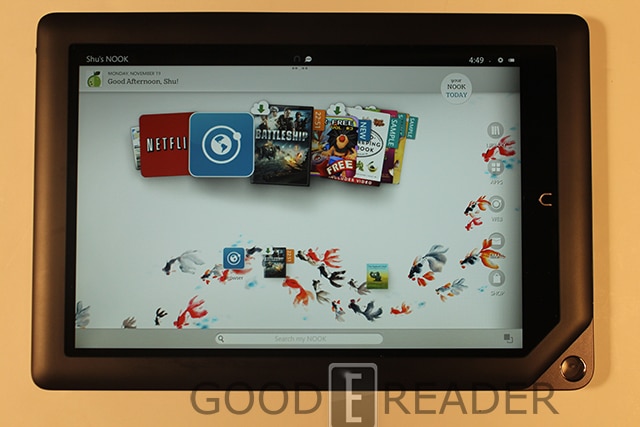
The new Nook Tablet HD is running on a fair new version of Google Android—Ice Cream Sandwich. It is important to note that this is a very heavily customized version and won’t let you load in your own apps.
The main homescreen is fairly different from all the prior models that B&N has ever released. It seems as though they have borrowed elements from the Kindle Fire, in the respects of a main carousel. This houses all of the books, apps, games, newspapers, and magazines that you have purchased.
In the past, you had to tap on the N button to bring up options, such as library, store, apps, and other elements. It seems as though the N button now brings you to the main homescreen and that the navigation elements are always visible.
Barnes and Noble markets the Nook HD+ as a family device. To make this easier, you can setup different profiles for adults or kids. When you make a new kid profile, you can establish their name, age, and gender. There are tons of options you can then implement based on your child’s needs. You can block the store, browser, and a ton of other details. This ensures you can only have them access kids books, apps, and other essentials. There is even a ratings system used for Nook Videos, so they can’t watch anything above PG or PG-13. Anything done in one profile, from wallpapers to apps, is not carried over to the others.
The Barnes and Noble Nook Store has undergone a tremendous revision with the advent of the new product line. In the past, the company never really took advantage of screen real-estate. The new version has dedicated options for Books, Newspapers, Apps, Movies and TV, and Catalogs.
On the main screen there are a four default categories that present themselves in a carousel fashion. You can easily swipe forward and check out all the different books. Clicking on any type of content will give you the options to get a free sample or to straight up purchase it. Everything tends to have overviews, reviews, and samples. It gives you a sense on what users have to say about it.
While searching in the store, you can easily refine your search. This is useful because broad terms often give you a few hundred entries. You can refine it by price, best selling, alphabetically, newest, and different views.
Your main library is where all of your purchased content is housed. There are entries for books, magazines, movies, scrapbooks, shelves, and my files.
During the course of the review so far, I touched on movies and TV. This is a brand new service the company has recently introduced. Including HBO, STARZ, Walt Disney Studios, and Warner Bros. Entertainment, the NOOK Video catalog offers something for everyone in the family to enjoy. Customers will find TV favorites such as Game of Thrones, Breaking Bad, and The Walking Dead, not to mention movie favorites like Disney-Pixar’s Brave, The Dark Knight, and the Harry Potter movies. One of the drawbacks is that if you live outside the USA or traveling outside the country, you are out of luck. You can rent and buy videos, when you try and stream or download it, you receive a “regional restrictions” notice. This makes the Nook HD+ fairly impractical for people who like to travel. Nook Video is also not available to UK users because of agreements with all of the media companies.
Reading
Barnes and Noble introduced a new feature called “Article View” with the Nook HD+. It allows you to focus on a specific article, magazine, newspaper, or website, and strip away all of the CSS elements to give you a bare-bones experience. This is fairly handy for magazines and newspapers that often have fairly small text. It is also really useful for very multimedia based websites, that prevent content from loading quickly.
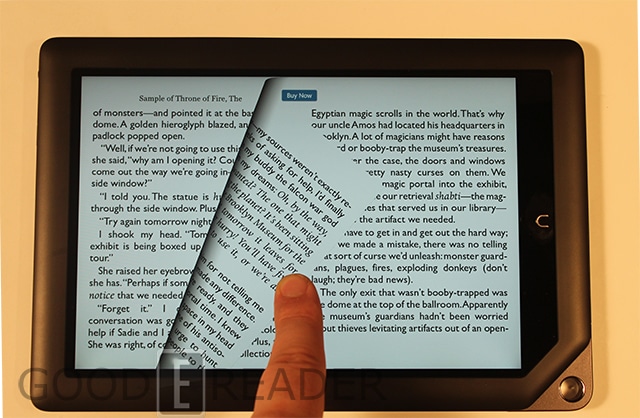
B&N gives you the ability to buy comics, newspapers, magazines, graphic novels, textbooks, and tons more. All of these have a standardized way that the page turn animations function. Not only do you get the same type of iBooks experience, but the page you’re turning is translucent. When you are “peeking” at the next page, it doesn’t overlap and block out the existing page. This is very unique and no other company is currently doing this.
The entire Nook magazine collection will appeal to people of all ages. They have years of established relationships with all the top publishing companies to give you an unrivaled selection. One of the cool new features is “Scrapbook.” You can hit the scrapbook feature in any magazine and save the pages to an animated book. This can be super useful to aspiring fashion designers, that will look at ten different magazines and just save all the new threads to an ebook. It’s little features like this that make this device truly unique.
When you buy a Nook HD+, you are locked into the Barnes and Noble ecosystem for most of your content. The company sells graphic novels and doesn’t allow any competition. You won’t find Marvel, Comixology, DC, or Dark Horse apps in the official App Store. Since B&N only sells graphic novels and not single issue comics, this prevents comic fiends from staying updated on the most current stuff. Often 6 to 10 issues will be bundled into a graphic novel three or four months after the comic comes out.
Newspapers are relegated to USA publications only if you want to take advantage of any of the Nook features that retain ebook functionality. You can adjust margins, text, fonts, linespacing, and many more elements. If you live in the USA, you will find this is all you need for your local or nation papers. If you live outside the USA, you can use the internet browser to make it all happen.
The Nook HD+ is Adobe Digital Editions compatible and has options in the setting menu to input your account details. This will allow you to shop at other online stores that sell books in ePUB format. Most of B&N books are fairly expensive with the average title costing $13 to $15. The ability to load your own purchases will give you the option to shop for the best deal. This only really applies to ebooks and not other content.
The ebook experience is fairly similar to their iOS or Android counterparts. You can choose from seven different font sizes and eight different font types. There are a number of themes to choose from, giving you more options than just a plain white background.
When you are reading a book, you can look words up in the dictionary, Wikipedia, or Google. You will have to download the dictionary suited to your own language, since no default ones are included. If you are a student reading e-textbooks, you can choose from five different colors of highlights and save notes. If you love to barrage your friends with quotes, passages, and books you are reading, there are features to do it via Facebook and Twitter.
Speaking of friends, Nook Friends is a big feature in this. It allows you to lend our select books to friends. Only select books have this functionality and a book can only be loaned out once in its lifetime. People have around two weeks of reading time, before its automatically bounced back to you. There are a number of ebook clubs that have been established in the last few years to connect users with each other. Check out Lendingebook.com to see what these services offer.
In the end, this is a dedicated reading tablet. Sure you have access to movies and apps, but this entire device really shines when you are reading newspapers, magazines, books, and kids books. There are strong multimedia elements geared towards the little ones that will have the books read aloud to your kid, or let you record the narration yourself.
Our Thoughts
The Nook HD+ is heavy and cumbersome. It is not the most portable of units, when you compare it against the Nook Tablet or Nook HD. This is going to be used in the home or the classroom. You certainly aren’t going to be carrying this around in your day to day life.
One of the main drawbacks is the inability to load in your own apps. You won’t be able to find anything that directly competes with Barnes and Noble’s store. Press Reader, Zinio, Marvel, DC, are all not included, nor likely to be. The regional locking of TV shows and movies are also a huge drawback for anyone who lives or travels outside the US.
The one thing Barnes and Noble has really done well over the years is to give you an Android experience, but is heavily customized. There is really no other tablet in the world that comes close to the unique features found in it. This would be the perfect tablet in a family friendly environment with strong parental controls.
PROS
Updated Store Looks Amazing
Article View Technology Makes Image Heavy Content Easy to Read
High Resolution
Newspapers Have Text to Speech
Family Friendly
Large eTextbook Library
Movies and TV Shows
CONS
No Cameras
Heavy
Inability to Sideload Apps
Locked into Barnes and Noble’s Walled Garden
Sparse App Selection for Alternative Reading Apps
Rating: 7.5/10
[cincopa A4JAIAbYhJT0]

Michael Kozlowski is the editor-in-chief at Good e-Reader and has written about audiobooks and e-readers for the past fifteen years. Newspapers and websites such as the CBC, CNET, Engadget, Huffington Post and the New York Times have picked up his articles. He Lives in Vancouver, British Columbia, Canada.


